
Image Albums
Photos become evidence you can cite.
Albums that understand your photos - people, objects, and text recognised, findings that feed your documents.
- Free to start - no card needed
- Your content is yours - commercially, forever
- Private by design - EU-hosted, GDPR
- Never used to train AI
What is Image Albums?
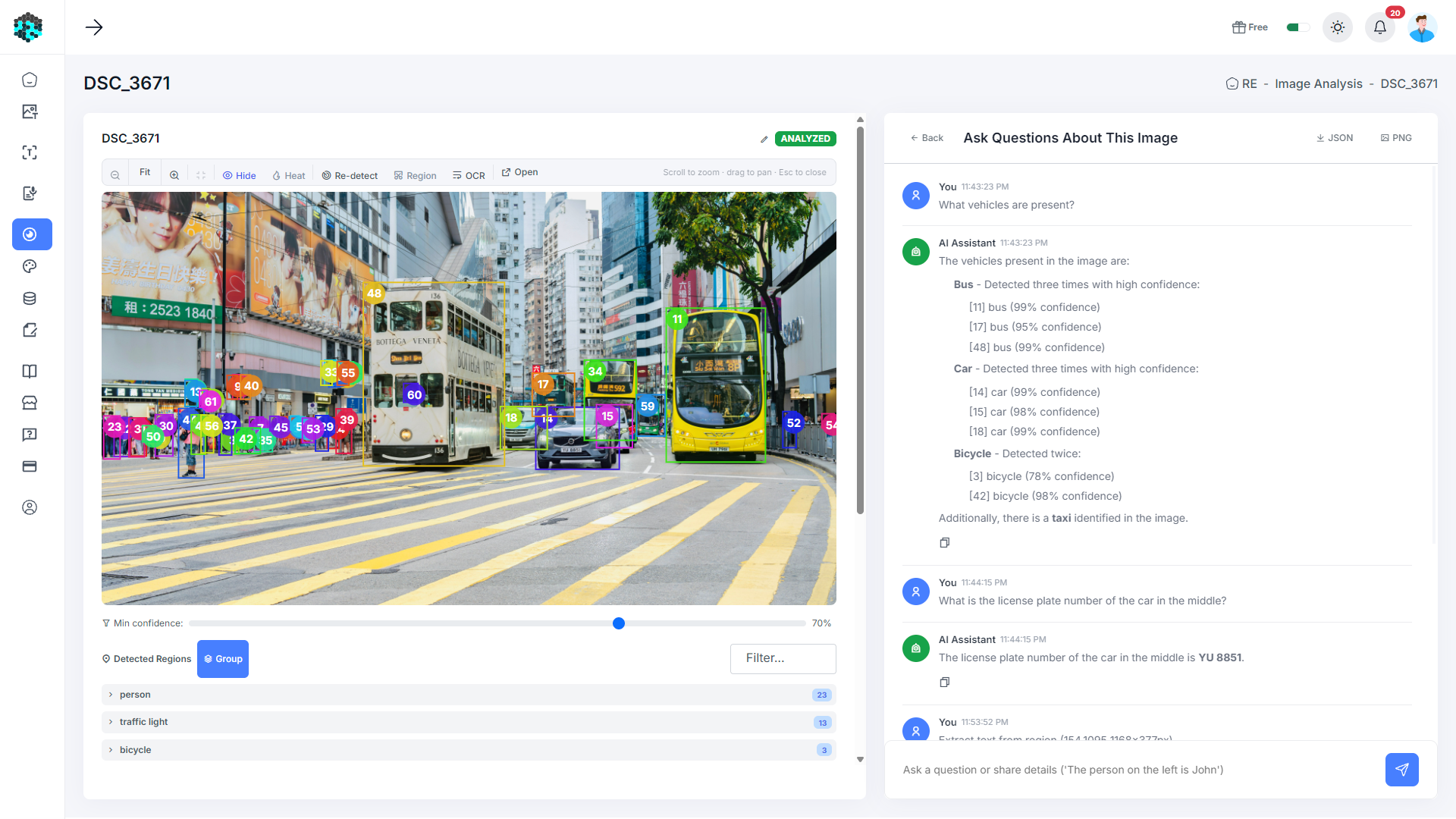
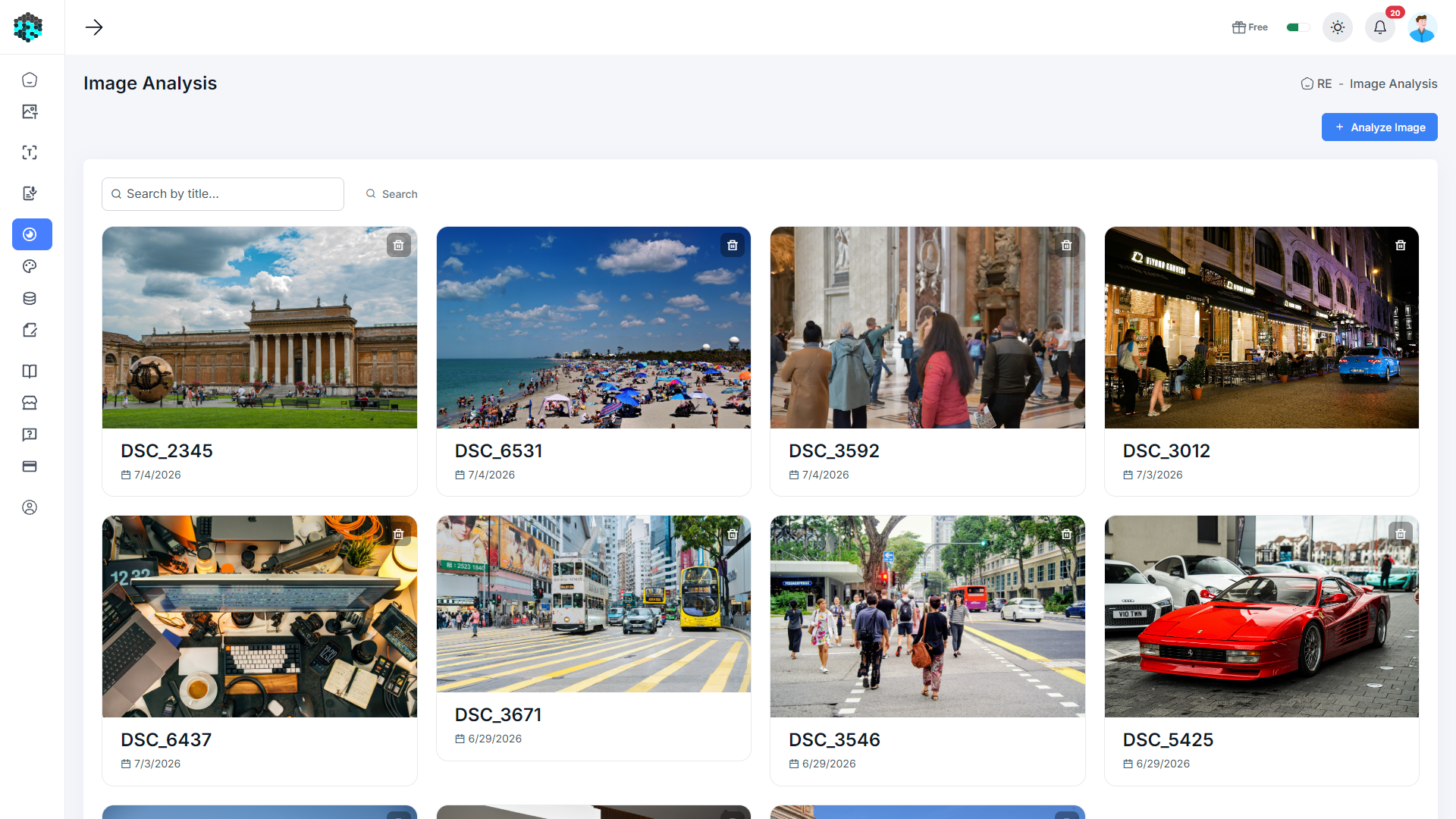
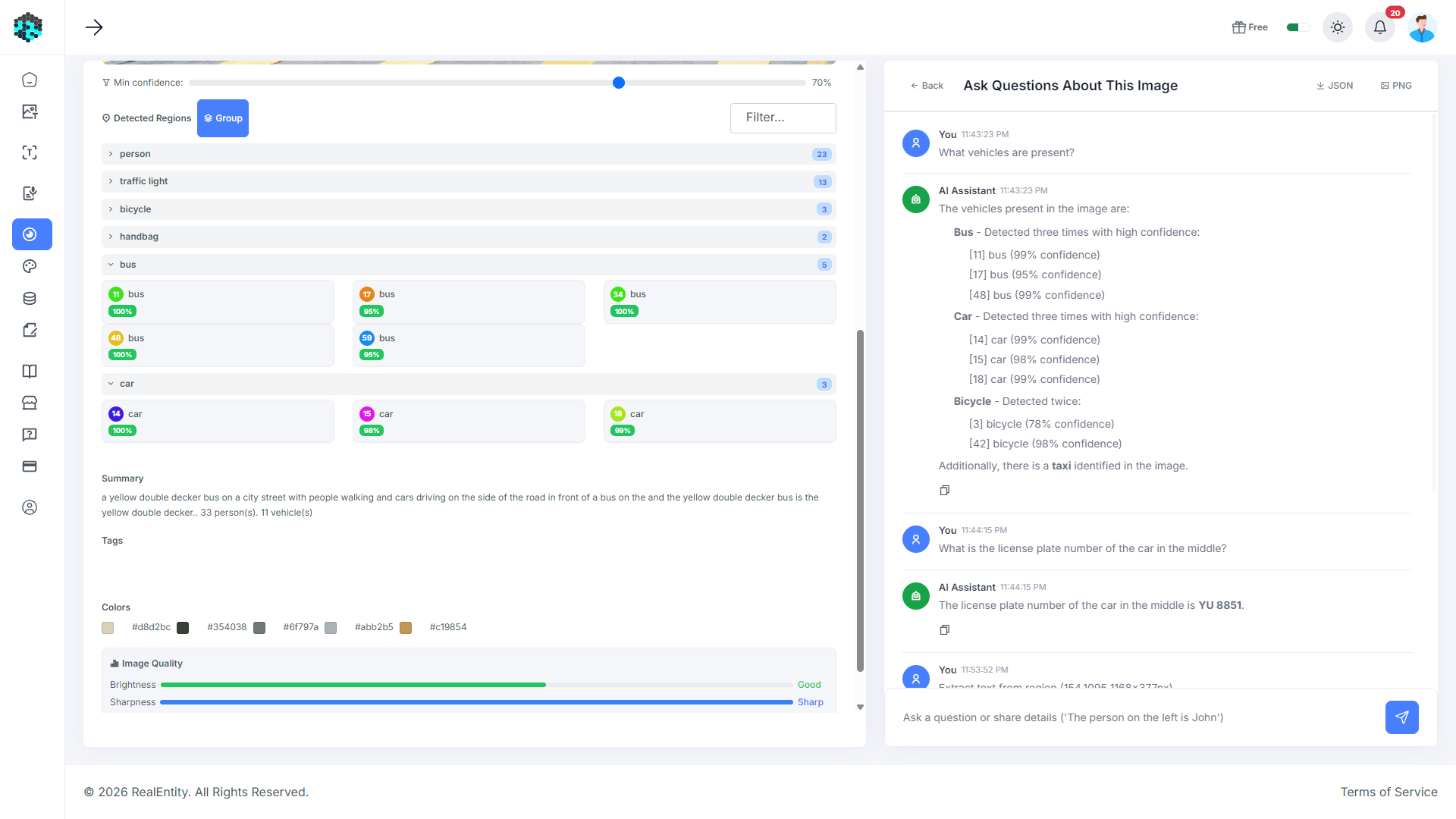
Image Albums turn a folder of photos into a knowledge base. Every uploaded image is analyzed automatically - objects, regions, and text (OCR) are detected and become interactive, annotatable overlays. Name a person once and face recognition suggests them in the rest of the album; facts you add (“Dave is the site manager”) attach to the person, not the photo, so every answer stays consistent. One chat covers the whole album: ask “In which photos does Dave appear?”, search by meaning (“the black sedan”), or run one-click analyses like a timeline, a people index, or duplicate detection.
Key Capabilities
Automatic object, region, and text (OCR) detection on every uploaded image
Face recognition across the album - name a person once, get suggestions for the rest
Shared entity registry: people and things keep their facts across all photos
Album-wide chat that answers questions and accepts corrections in plain language
Semantic AI search - find images by meaning, no manual tagging needed
One-click analyses: album summary, people index, timeline, duplicates, anomalies
Interactive per-image editor with zoom, region overlays, and custom annotations
Capture-time (EXIF) aware - ask about when photos were taken
How It Works
Create an album
Group related photos - an event, a property, a project site.
Upload images
Drag-and-drop any number of photos. Each is analyzed automatically as it arrives.
Name the people
Label a face once; the album suggests the same person in other photos for one-click confirmation.
Teach it details
Tell the chat what it cannot see (“[B3] is Dave, our foreman”) - it remembers, album-wide.
Ask anything
Chat across the album, search by meaning, or run preset analyses like a timeline or people index.