
What is RealEntity Assistant?
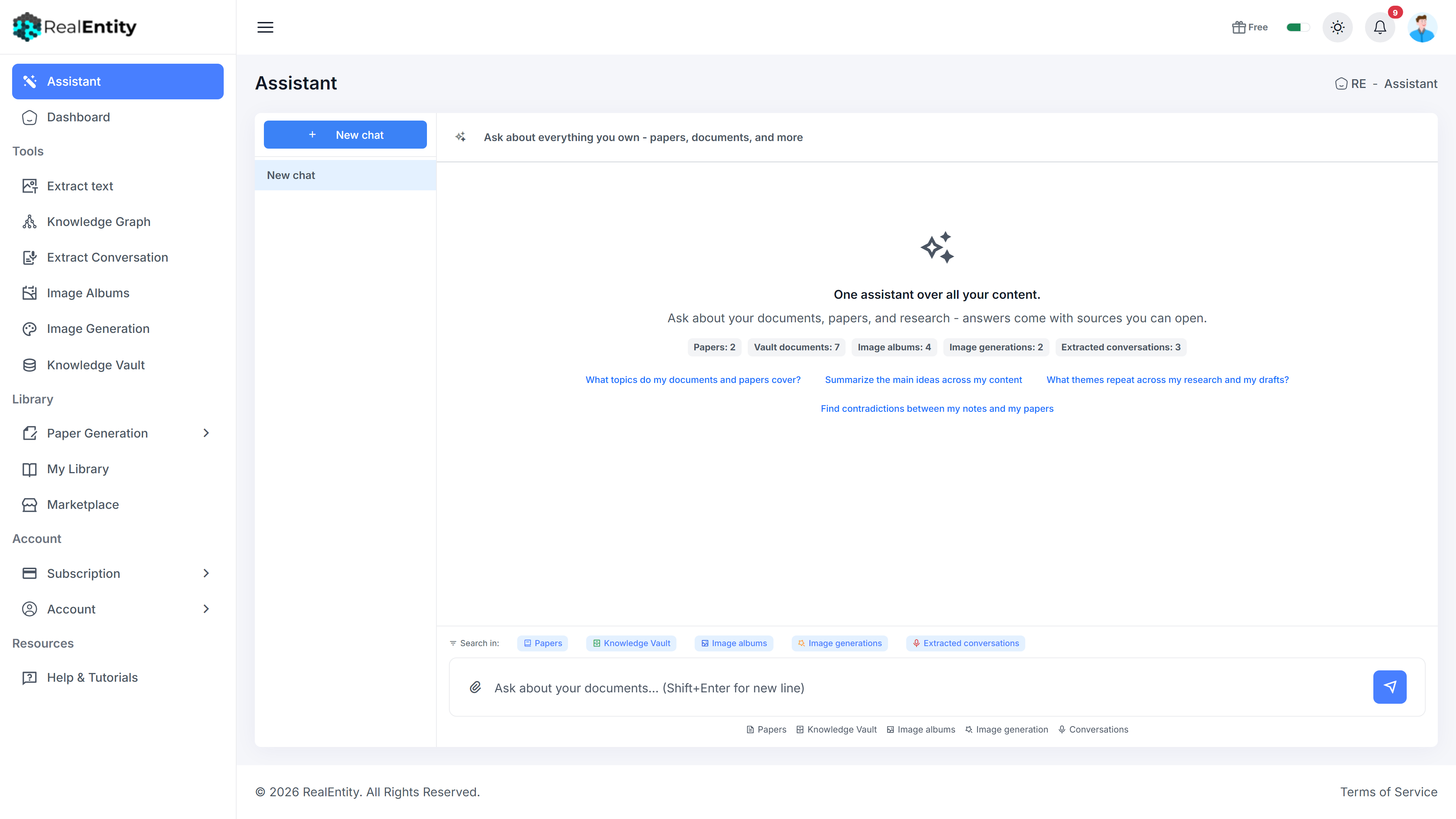
The Assistant is one chat over all your RealEntity content. Ask a question and it searches your papers, Knowledge Vault documents, photo albums, generated images, and extracted conversations at once - then answers with citations that link to the exact source: the paper section, the document passage, the photo, the transcript moment. It remembers the conversation, so follow-ups just work. And it can act: ask for a grounded draft or an export and it proposes a step-by-step plan with a cost preview - nothing runs until you confirm.
Key Capabilities
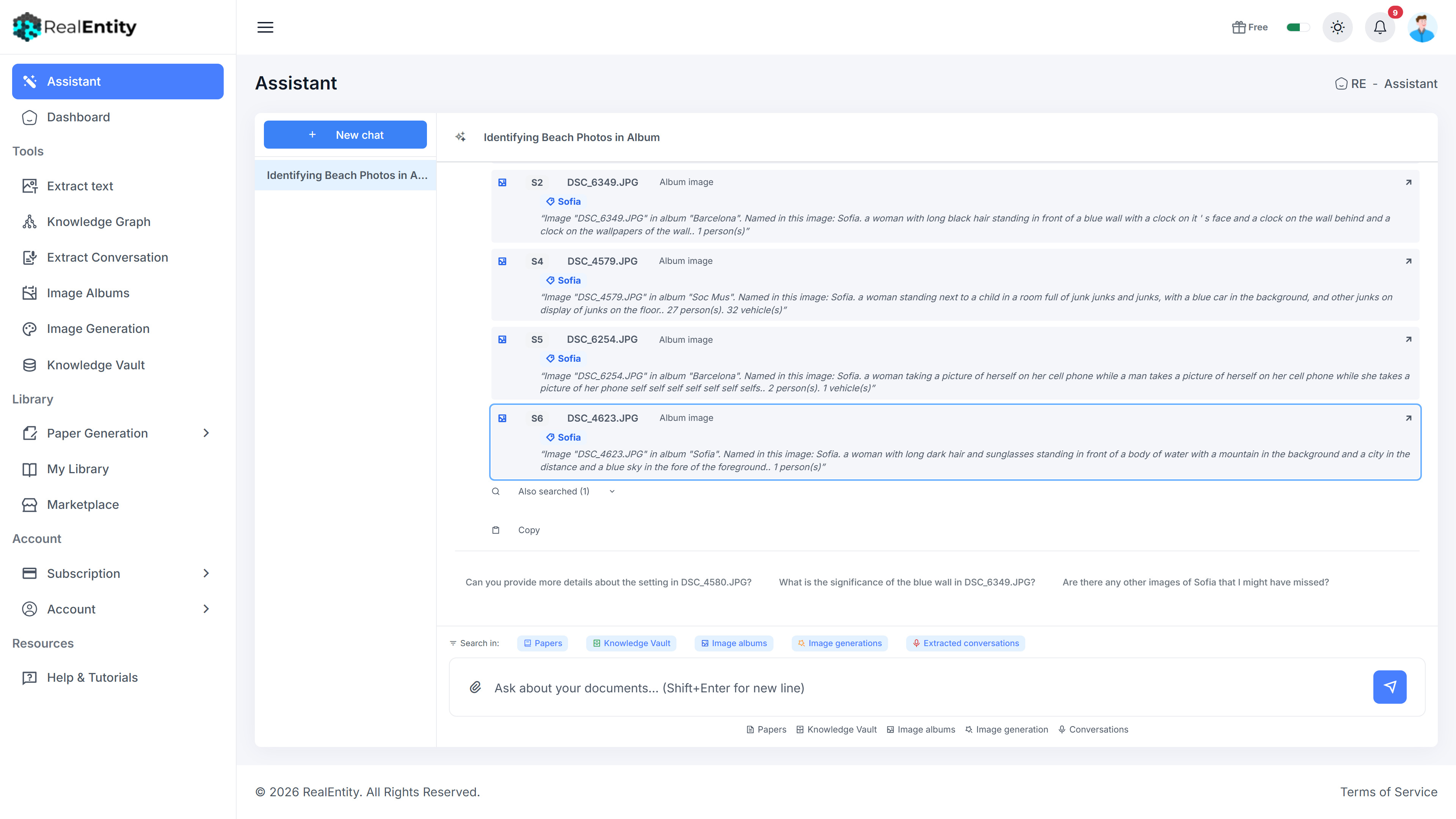
One question searches all five services at once - papers, documents, photos, images, and audio
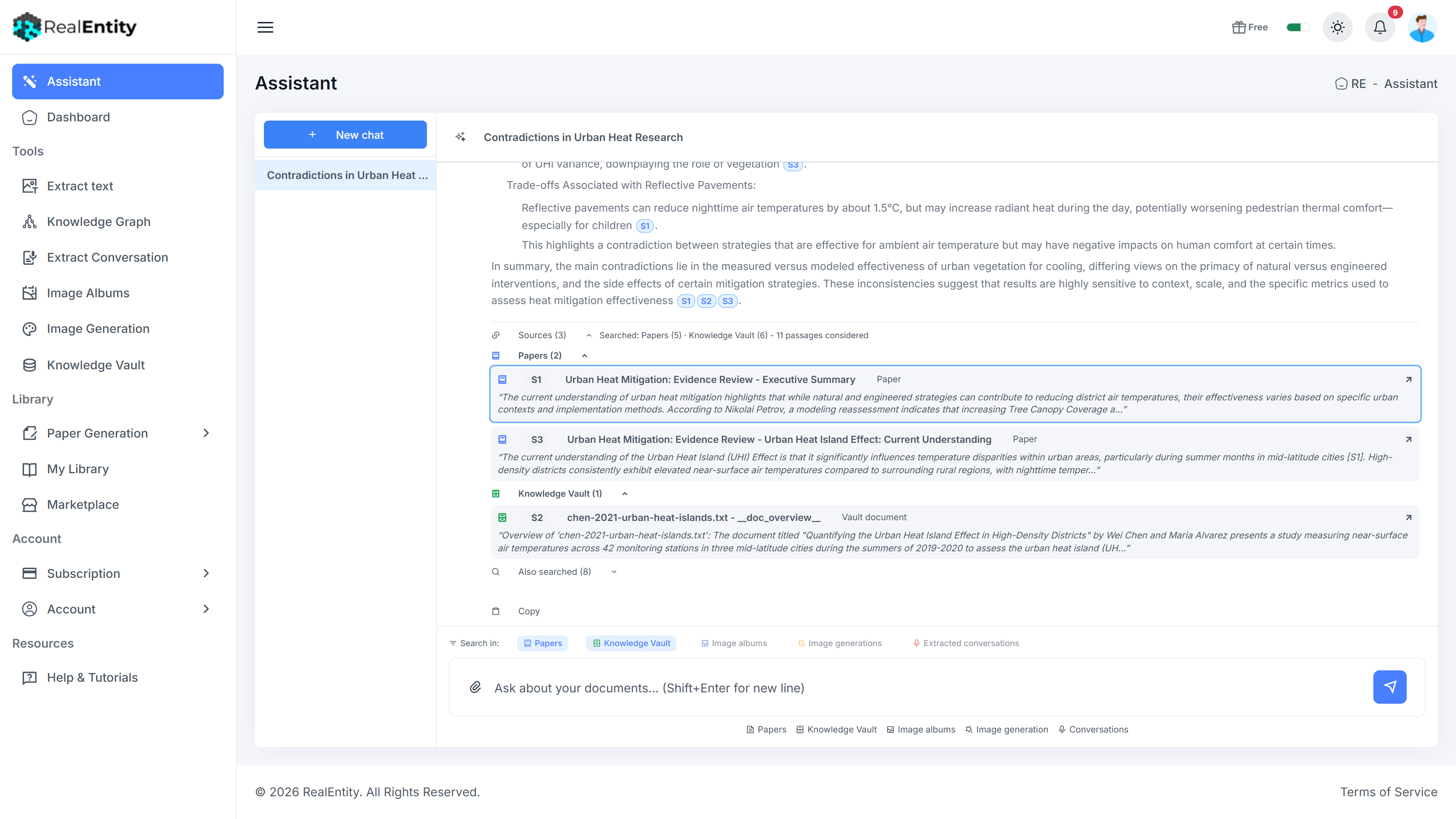
Cited answers: every claim carries [S#] references that open the exact source
Cross-content analysis - themes, overlaps, and contradictions across your research and drafts
Person and photo search: find who and what appears across your albums
Conversation memory - follow-up questions resolve naturally
Navigation on request: "open my album" answers with a working link into the app
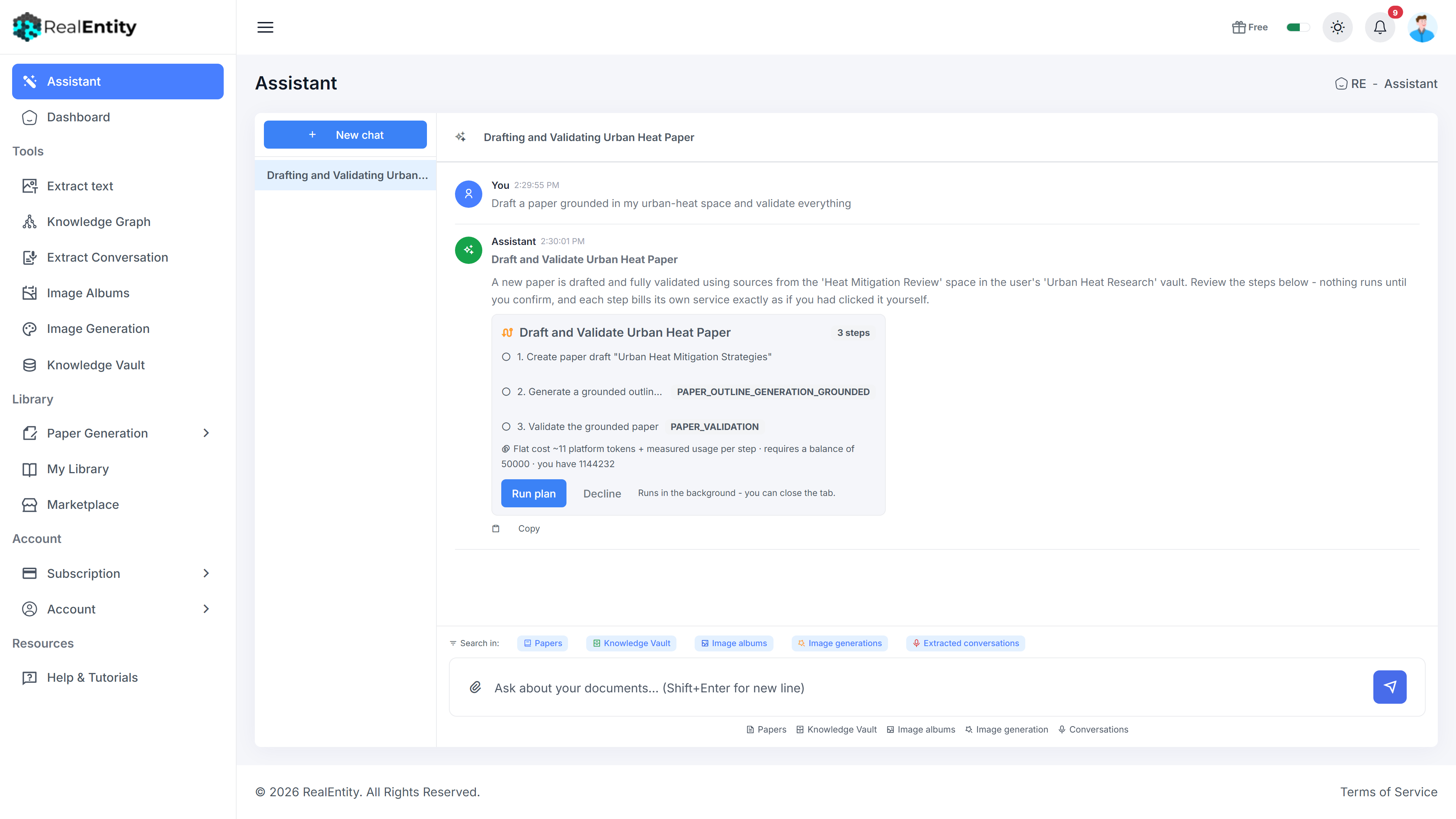
Acts with confirmation: multi-step plans (draft, ground, validate) with an upfront cost preview
Scope control - limit any question to the services you choose
Drop files into the chat to add documents, photos, or audio - you confirm before anything uploads
Honest by design: answers not grounded in your content are clearly labeled
How It Works
Bring content
Upload documents, create papers, add photos and audio in the services - or just drop files into the chat.
Ask anything
Questions are answered across everything you own, in one place.
Check the sources
Click a citation to see the source card, then open the exact paper section, document passage, photo, or transcript moment.
Follow up
The Assistant remembers the conversation - refine, compare, and dig deeper naturally.
Let it act
Ask for a grounded draft, an export, or a new space. It proposes a plan with a cost preview; nothing runs until you confirm.
Jump in
Every answer links into the right service - continue the work where it lives.
See It In Action
Press play to watch a short walkthrough - no sign-up needed.